Prompd Desktop
A visual IDE for building, composing, and deploying AI workflows. Everything runs locally -- your API keys never leave your machine.
Key Features
Visual Workflow Canvas
Drag-and-drop workflow editor with 25+ node types. Chain prompts, add logic, connect tools, and deploy workflows as persistent background services.
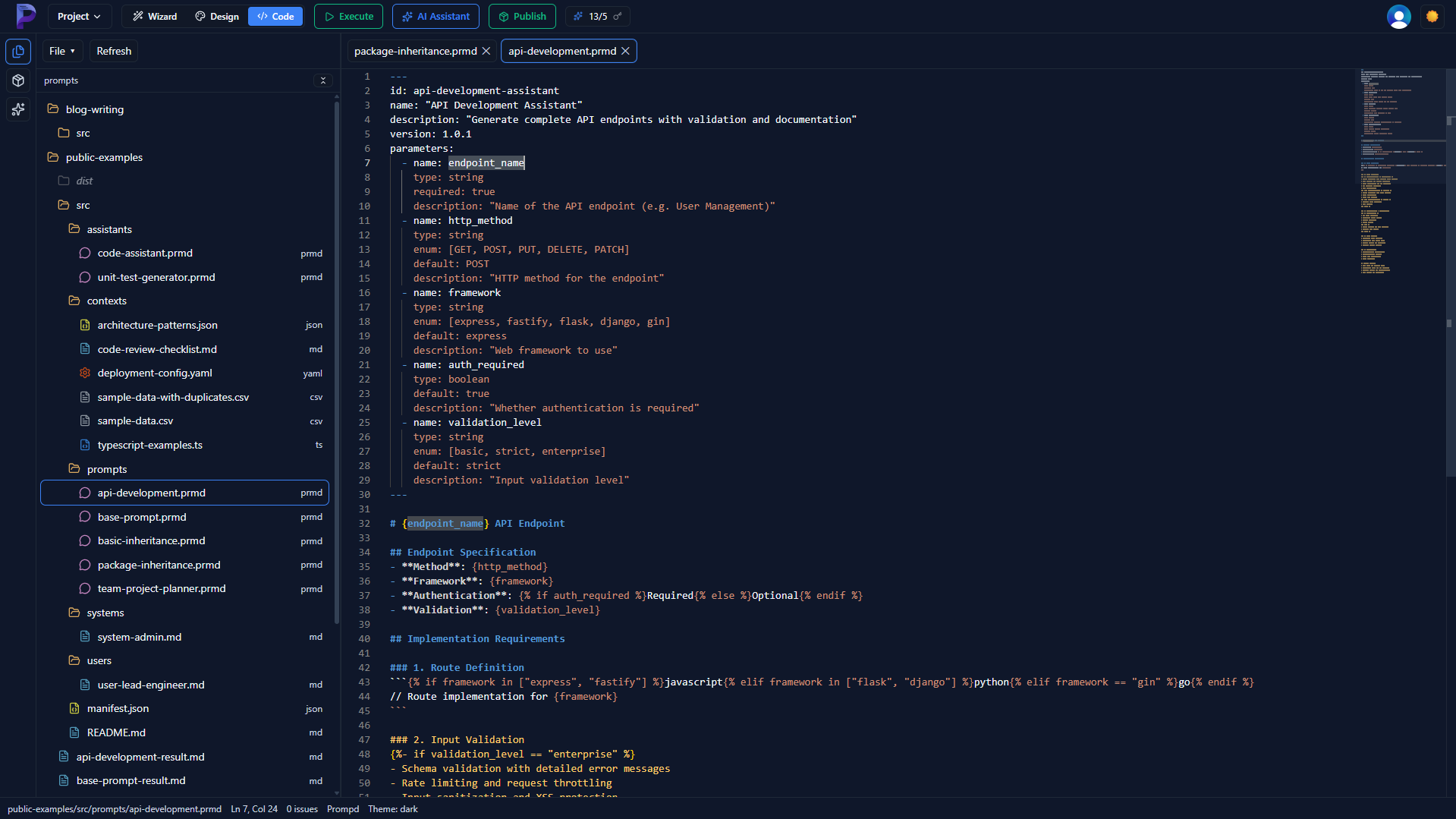
Monaco Editor with IntelliSense
Full VS Code editing experience for .prmd files. YAML + Markdown syntax highlighting, autocomplete for package references, and jump-to-definition.
Built-in Execution Engine
Compile and execute prompts against OpenAI, Anthropic, and any OpenAI-compatible provider. Step-by-step debugging with token usage and latency metrics.
Local-First Architecture
All API calls go directly from your machine to the LLM provider. No proxy, no middleman. Your API keys and data stay on your device.
Registry Integration
Browse, install, and publish packages directly from the app. Built-in package manager with dependency resolution and version management.
Deployment & Scheduling
Deploy workflows as background services with cron triggers, webhooks, or manual execution. Persistent scheduling survives app restarts.
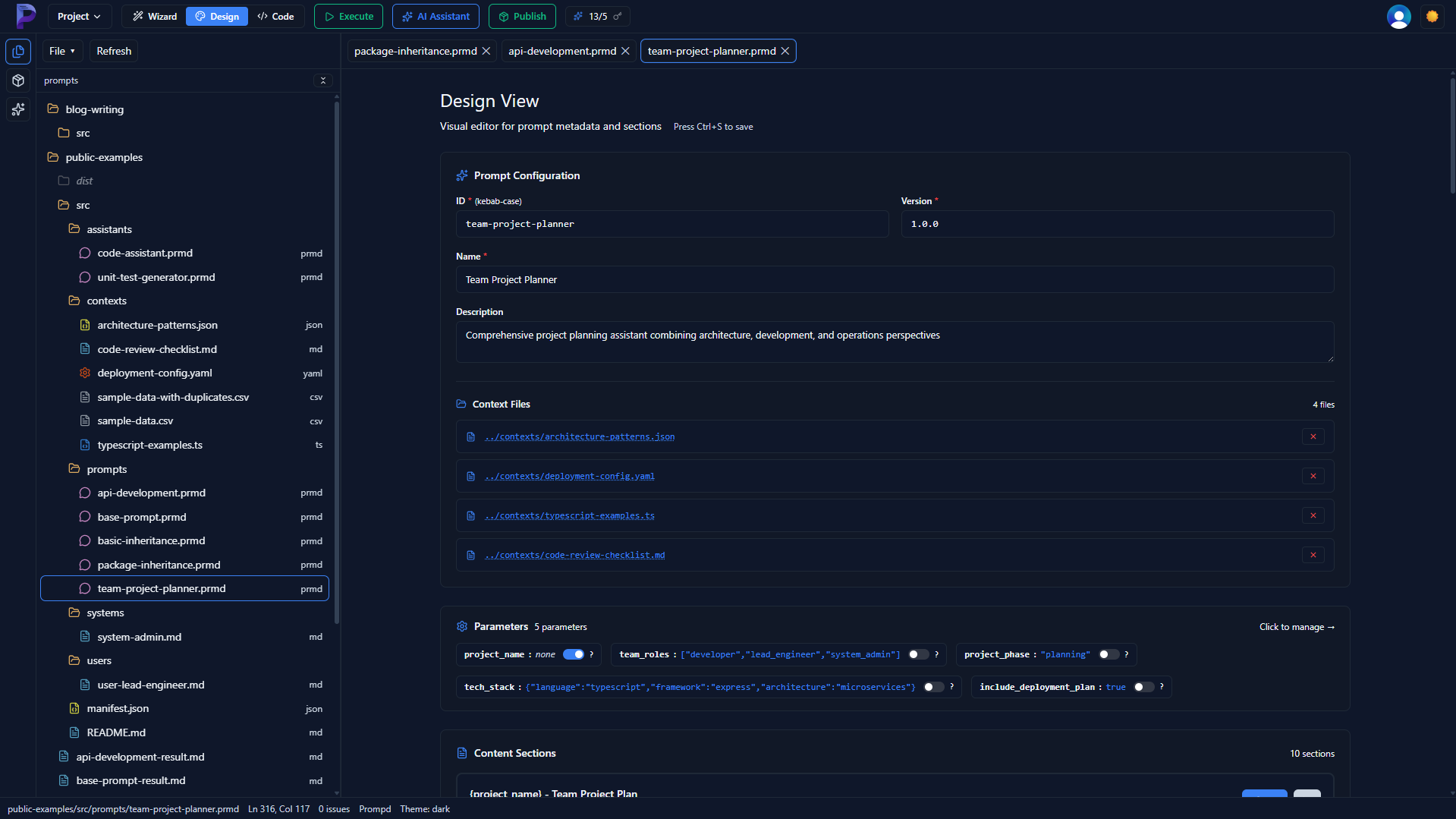
Two Editor Modes
Split View Visual Editor
Combines metadata forms with content editors in a powerful split view. Live validation and quick editing with section-based navigation.
Full Monaco Editor Power
The complete VS Code editing experience with IntelliSense, auto-completion, and jump to definition for package references.
System Requirements
- Windows 10/11 (64-bit) -- macOS and Linux coming soon
- 4 GB RAM minimum (8 GB recommended)
- 500 MB available disk space